Zest for WordPress is here: cookie consent without the code
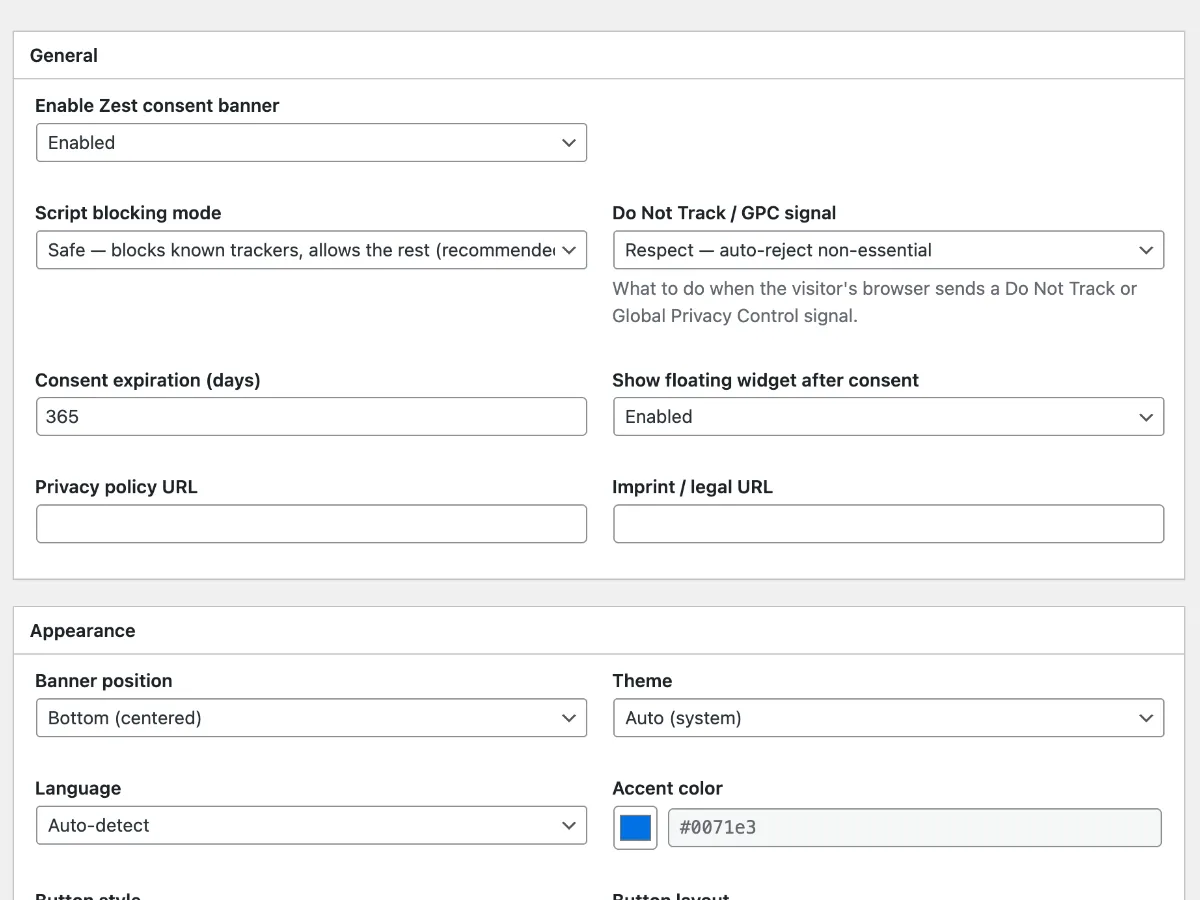
Big news: Zest is now a WordPress plugin. Download it from GitHub, install it like any other plugin, and your consent banner lives in Settings → Cookie Consent.
We’re working on the WordPress.org listing. Until that review goes through, GitHub is the official download - version 1.0.0, today.
Why this took so long (and why it didn’t)
Zest started as a script you paste into your theme. Great for developers, useless if you run your site on WordPress and have never opened a theme file in your life. That’s most of the web.
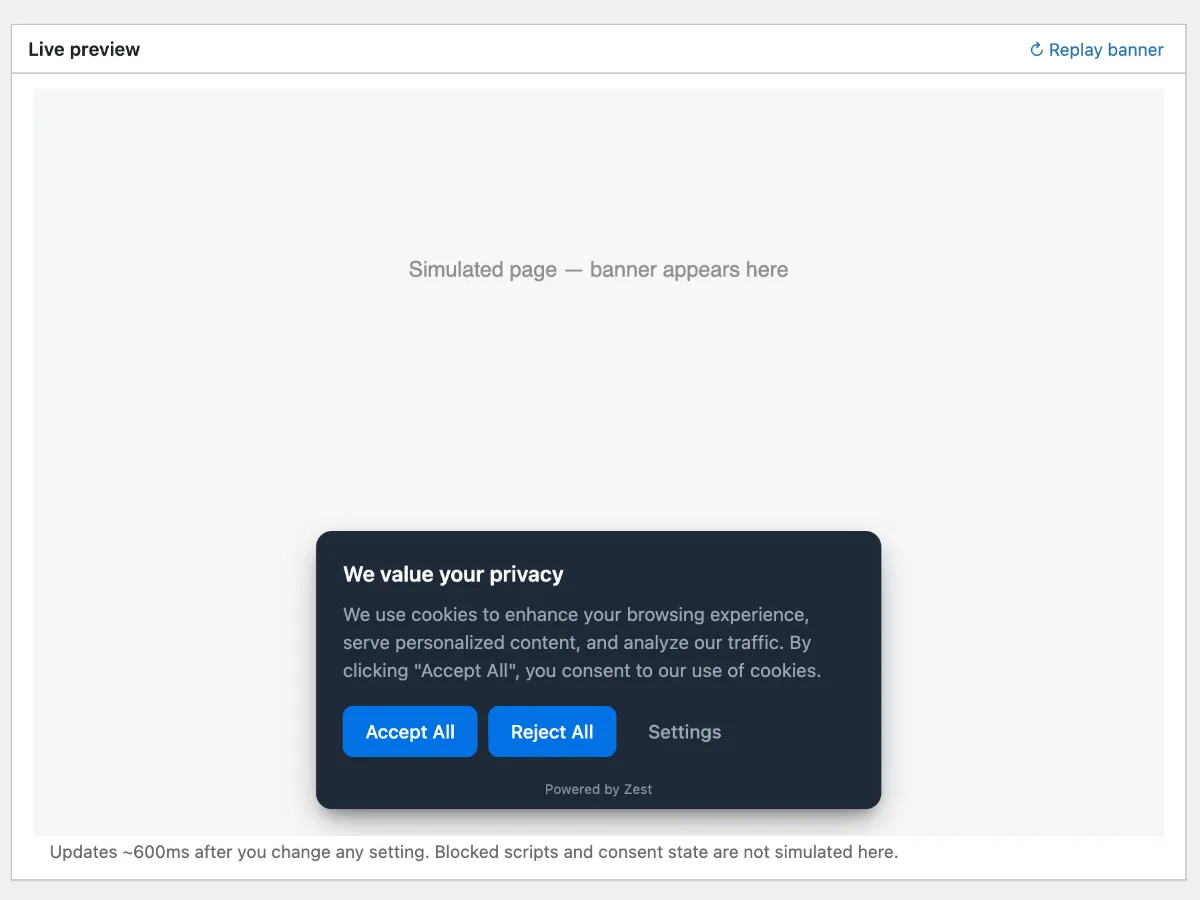
So now the whole toolkit ships as a plugin: banner, settings modal, floating widget, script blocking, cookie interception, the lot. Everything from the core library is in there, wrapped in a settings screen that follows WordPress conventions - native dropdowns, native color picker, no invented UI.
What you get on top of the plugin screen:
- Live preview - change any setting and the banner updates in about 600ms, right above your settings
- Script blocking with four modes - safe (known trackers, recommended), manual, strict, and doomsday
- Cookie and storage interception -
document.cookie,localStorage,sessionStoragewrites queue until consent - Do Not Track / GPC handling - auto-reject, preselect, or ignore
- Geo gating (optional) - GDPR banner in the EU, a “Do Not Sell” link in the US, nothing elsewhere
- 12 languages with browser auto-detection
- Custom accent color, button layouts, consent expiration - all from dropdowns
Zero dependencies. GPL. Yours.
The plugin is GPL-3.0 (the bundled Zest JS is MIT) and free. No Pro tier, no account, no site key, no “premium features” paywall. The banner never phones home.
And it stays small. The Zest bundle is ~22KB gzipped with all 12 languages, ~16KB with one. The plugin adds a settings page and a config output - the front-end payload is still the library, nothing else.
Install it in two minutes
- Download the zip (v1.0.0)
- Plugins → Add New → Upload Plugin → pick the zip → Install Now → Activate
- Go to Settings → Cookie Consent, enable the banner, pick your blocking mode
Full walkthrough: Installing Zest on WordPress.
What’s next
WordPress.org directory listing - the plugin is in review, and once it’s approved you’ll install straight from your dashboard like any other plugin. After that: feedback-driven iteration. If something breaks with your theme or caching stack, open an issue - it’s open source, that’s the whole point.
Related
—
May the 4th be with you.
Alex @ FreshJuice